Every day, as you browse the web, your device and browser are quietly "selling you out." Advertising companies use this information to track your online activities and build detailed user profiles. If you think regularly clearing cookies and using a VPN will put your mind at ease, you might need to reconsider.
Tracking technologies are becoming increasingly covert and advanced, while most people's defense strategies are still stuck in the past decade. Today, we're going to discuss browser fingerprinting, one of the trickiest adversaries in this new battlefield.
Imagine a detective who can identify a suspect without fingerprints – by observing their gait, clothing style, and shoe sole wear, they can pinpoint their target. Browser fingerprinting uses a similar logic.
When you visit a website, your browser automatically shares device configuration information:
Individually, this information might not be distinctive, but when combined, it forms a unique "digital fingerprint." Even two seemingly identical devices can produce subtle fingerprint differences due to variations in software installation or GPU manufacturing batches.
What's worse: these characteristics are inherent to your browser and cannot be easily removed like cookies. Every time you visit a website with fingerprinting scripts, even if you reset your browser, it will still expose the same configuration information.
This is why the traditional "clear cookies + VPN" combination is ineffective against fingerprinting. Cookies can be deleted, but your browser configuration will always "tell the truth."
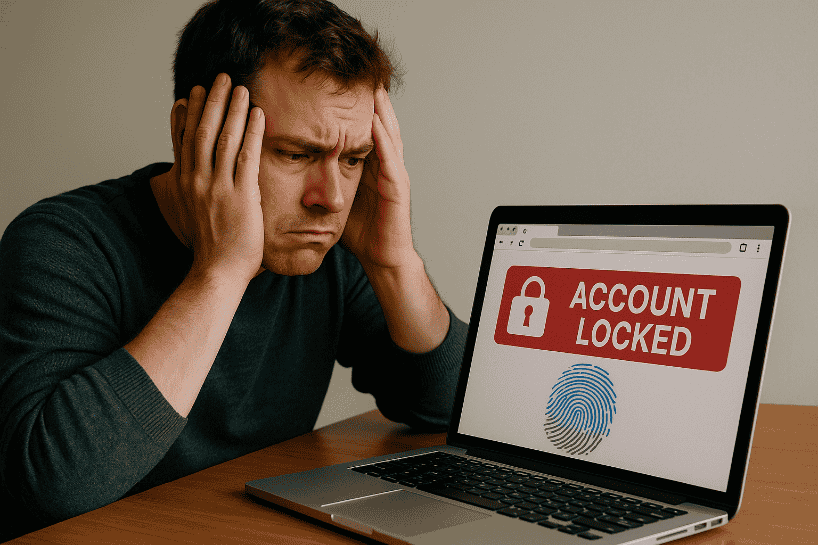
You may have noticed that modern browsers like Firefox and Safari are strengthening their cookie isolation features, rendering third-party cross-site tracking cookies largely ineffective. This should be a significant step forward for privacy protection, but tracking companies won't sit idly by.
Data shows that the browser fingerprinting industry has seen explosive growth in recent years – some companies have publicly claimed their business grew by 3000% last year. The logic behind this is simple:
Even more insidiously, many companies deploy fingerprinting technology under the guise of "anti-bot" or "fraud prevention." While these are indeed legitimate uses (like blocking AI crawlers), the same technology is used to build user profiles, deliver targeted ads, and even sell data to data brokers – this line is becoming increasingly blurred.
You may have come across websites that claim to detect your browser fingerprint and provide an "entropy value" or "uniqueness score." Does a lower number mean more security?
The answer is: not necessarily.
For example, imagine flipping a coin. If heads and tails have a 50% probability each, this is a state of maximum entropy (entropy = 1). But if the probability of tails becomes 95% and heads 5%, the entropy drops to about 0.3 – seemingly "safer," but in reality, those 5% are easier to identify.
The problem with these testing websites is:
The truly effective defense strategy is not to strive for some "perfect score," but to blend into a large group of users who are also using privacy tools – much like zebras use their stripes to blend into a herd and evade lions.
VPNs can only hide your IP address; they have no impact on your browser fingerprint. Websites can still identify you through your screen resolution, font list, WebGL information, and other parameters.
This is why reputable VPN providers remind users: "Using a VPN alone is not enough; you need to complement it with an anti-fingerprinting browser."
Of course, VPNs remain an essential part of the privacy toolkit – they prevent ISP monitoring and bypass geographical restrictions, but they must be used in conjunction with other tools.
Theoretically, any extension that can interact with web pages could be used for fingerprinting. Even extensions that claim "privacy protection" might unintentionally expose unique data points, making your fingerprint even more distinctive.
The issues are:
Experts advise: In privacy-focused browsers like Tor Browser or Mullvad Browser, do not install extensions randomly. If you absolutely need one, prioritize extensions that do not require web page interaction permissions.
Facing the invisible tracker that is browser fingerprinting, the most pressing question for ordinary users is: What exactly should I do?
MasLogin, as a professional anti-detection browser, offers a comprehensive browser fingerprint management solution, especially suitable for users involved in multi-account operations, anti-association management, cross-border e-commerce, and similar scenarios.
While privacy modes in browsers like Firefox and Brave offer basic fingerprint protection (e.g., standardized configurations, randomization of certain parameters), they have a critical flaw: they can only help you blend into a crowd of "similar users," but cannot simulate distinct real users.
For users who need to manage multiple accounts (e.g., social media marketers, e-commerce sellers, ad buyers), this means:
MasLogin adopts a completely different approach: creating an independent, realistic, and customizable browser environment for each account.
Suppose you need to manage 10 Instagram advertising accounts. The traditional method (switching accounts in the same browser) would lead to:
Complete operational flow using MasLogin:
Step 1: Create Independent Browser Environments
Step 2: Bind Independent Proxy IPs
Step 3: Simulate Realistic User Behavior
Step 4: Team Collaboration Management
If you have team members collaborating on operations:
Key Considerations:
If you don't need multi-account management and just want more privacy for everyday browsing, consider these options:
Firefox (with Strict Mode enabled):
Tor Browser / Mullvad Browser:
Brave:
The core strategy of these browsers is standardization and randomization:
However, they all fail to address one issue: when you need to manage multiple distinct identities simultaneously, standardization makes all accounts look like the same person. This is why power users need tools like MasLogin.
No, and it's impossible. Browsers must expose some information to function correctly. The key is to control the amount of information exposed and to blend into a large enough crowd.
No. Private mode only prevents saving browsing history and cookies; your browser configuration information is still exposed.
If you only browse occasionally and are not involved in multi-account management, the Firefox + VPN combination is sufficient. However, if you need to manage multiple social media accounts, online stores, ad accounts, or engage in cross-border business, MasLogin is an essential tool.
Outline