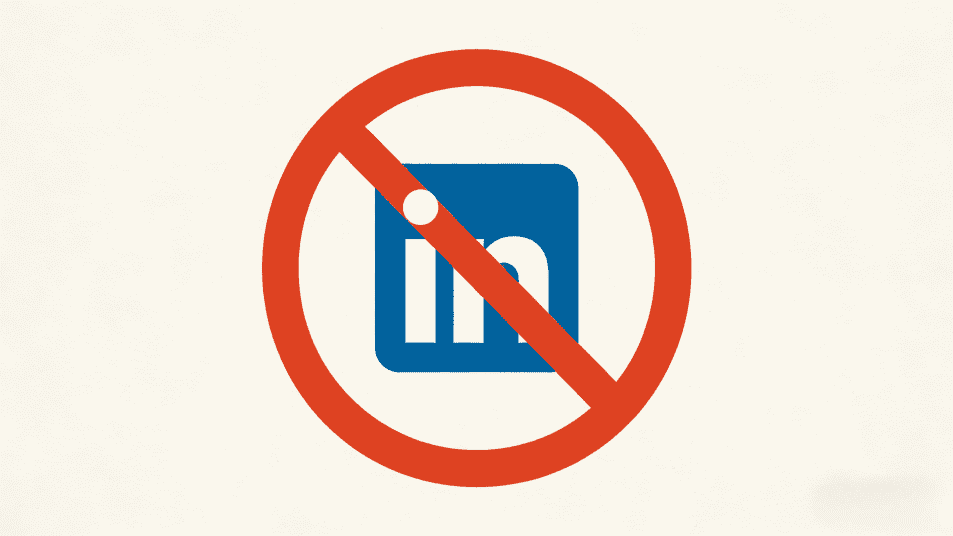
Having your LinkedIn account permanently banned is one of the most frustrating issues for many users. When you receive the notification "Your account has been permanently restricted, and your appeal has been denied," you might feel like all hope is lost. However, even if LinkedIn officially states that an account is "permanently banned and unrecoverable," you still have a chance to get it back.
This article shares a real and effective recovery method—I personally used this method to successfully recover 4 permanently banned LinkedIn accounts, including my main personal account and 3 family member accounts. If you are facing the same dilemma, this article might save you a lot of time and effort.
LinkedIn has strict requirements for account security and platform rules. Here are some common reasons for bans:
Once an account is deemed "permanently banned," the platform usually rejects appeals and sends emails like this:
"We have determined that you have violated the LinkedIn User Agreement. Your account will be permanently restricted, and your appeal has been denied."
Upon receiving such a response, many people give up. But the truth is, LinkedIn's review mechanism is not entirely automated; there are still human intervention points—which is precisely the key to recovering your account.
If you haven't submitted an appeal yet, or if your first appeal was rejected, consider resubmitting. The key is to use the right wording.
When recovering one of my family member's accounts, I used the following statement:
"Hello, I have not violated any LinkedIn rules. May I ask what led you to believe I impersonated someone? My information is all genuine; please review it again."
The core of this statement lies in:
I successfully recovered 2 accounts using this method, with the fastest recovery taking less than a day to restore access. While this method isn't 100% effective, it's worth a try, especially if you haven't attempted a manual appeal yet.
If your first appeal is rejected, or even if you receive a notification of "permanent ban, no further action," don't be discouraged. My personal account was recovered using this method 4 months after being banned.
LinkedIn's review process is not entirely automated by AI; the identity verification step still relies on human review. Different reviewers may have different judgment standards:
This is similar to Facebook's appeal mechanism—the same issue might result in completely different outcomes from different reviewers. Persistently submitting multiple times increases the probability of encountering a "lenient reviewer," which is the core logic of this method.
My personal account was successfully restored after the 3rd submission, while the other 2 family accounts were unbanned after the 2nd and 4th submissions, respectively.
Recovering your account is just the first step. More importantly, you need to avoid triggering LinkedIn's risk control mechanisms again. If you need to manage multiple LinkedIn accounts (e.g., personal + company, or multiple marketing accounts), switching logins on a regular browser can easily be detected, leading to account association bans.
Why Use Different Proxies?
If multiple accounts log in from the same IP address, LinkedIn may consider them to belong to the same person, potentially triggering association detection. Independent proxies make each account appear to be from a different geographical location, reducing risk.
MasLogin automatically generates realistic browser fingerprints, eliminating the need for manual adjustments.
Important Notes:
If your team needs to manage multiple LinkedIn accounts together:
This prevents multiple people from logging into the same account from their own computers, reducing risk.
Typically, you will receive a result within 1-3 weeks. If the first submission is rejected, it's advised to wait 2-3 weeks before submitting again.
Continue trying, with a 2-3 week interval between each submission. My personal account was only successfully recovered on the 3rd submission.
As long as the proxy IP quality is good (residential or ISP proxies) and each account uses an independent proxy, the risk is very low. Avoid using free proxies or data center IPs.
MasLogin can significantly reduce the risk of bans due to account association but cannot guarantee a 100% ban-free experience. The key is to adhere to LinkedIn's usage rules and avoid automated actions and abnormal behavior.
MasLogin is primarily for preventing bans, not for directly unbanning already banned accounts. If your account has been banned, first try to recover it using the methods described in this article, and then use MasLogin to prevent future bans.
A permanent ban on your LinkedIn account does not mean it's entirely lost. With the right appeal methods and consistent submission of identity verification, you still have a high chance of recovering your account. Furthermore, using tools like MasLogin to manage multiple accounts can fundamentally reduce the risk of future bans.
Outline